

TouchCopy 24.0
Copy music, playlists, photos and more from any iPod, iPhone or iPad to iTunes
 Download
Program info


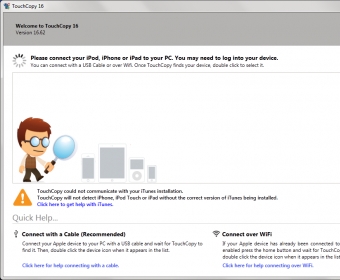


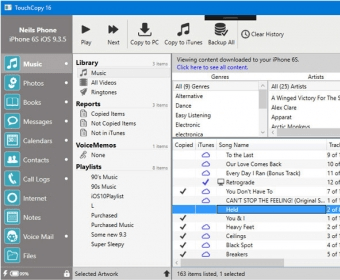


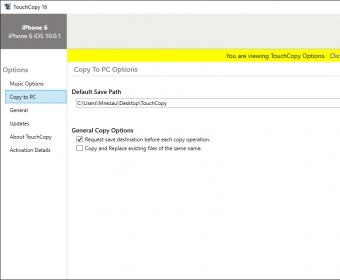
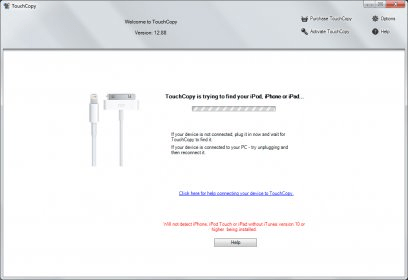
TouchCopy allows you to transfer Music, Video, Playlists and Podcasts from your iPod, iPhone or iPad to your computer or iTunes. You can also use TouchCopy to save your iPhone SMS, WhatsApp and iMessage conversations to your computer as HTML, PDF or a text file. Your iPhone messages can even be printed directly through TouchCopy. Standard features aside, TouchCopy also has some neat unique features, like the ability to use the iPod Touch or iPhone as an external disk drive and copying of iPhone Voice Mails and Voice Memos. Those who like to combine work with leisure will find the business tool useful, allowing iPod and iPhone notes, contacts and calendars to be managed and copied between the two devices. TouchCopy works with all iPods, iPads and iPhones, including the new iPhone 15 and is compatible with Windows 11 and Windows 10. TouchCopy is available as a free trial download, allowing up to 100 items to be copied from your device to your computer. The full version of the software costs $30, giving access to all functionality, free customer support and a lifetime of free software updates.
Details
Extensions
Awards


Related software

Easily transfer your iOS files to your Windows PC.

Unlock your password-protected iTunes backups and decrypt iOS device passwords.

Extract and restore deleted iPhone/iPad/iPod data from iTunes backup files.
Related stories
See all
Reclaim your space with one of these must-have duplicate file finder and remover solutions.

Microsoft has released a new Insider build for its Windows 11 operating system, which introduces the ability to extract audio tracks from audio CDs.
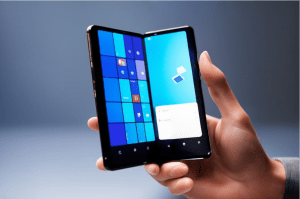
Windows Phone had a stable following. Recently, Microsoft patented a foldable handheld computing device, so we might be in for a revival.



Summary:
- the software doesn’t work
- their only support is through email, and takes up to FIVE BUSINESS DAYS
Details:
- I am a lifetime computer programmer and techie
- this junk software has been sitting for hours now saying “Looking for devices” when the device is attached
- Windows explorer can see it as “Apple phone”
- I could copy the data from it using a standard copy, and got a full copy of the phone, in folders with names like 201203_ and 201203_
But this junk software can’t see it.
I rebooted everything, Run as administrator, have a USB cable AND wifi connected to both, checked their General Settings for Wifi enabling and everything else, etc
NO support, NO working software, and now the fight to get my money back.
WASTE OF TIME. More